
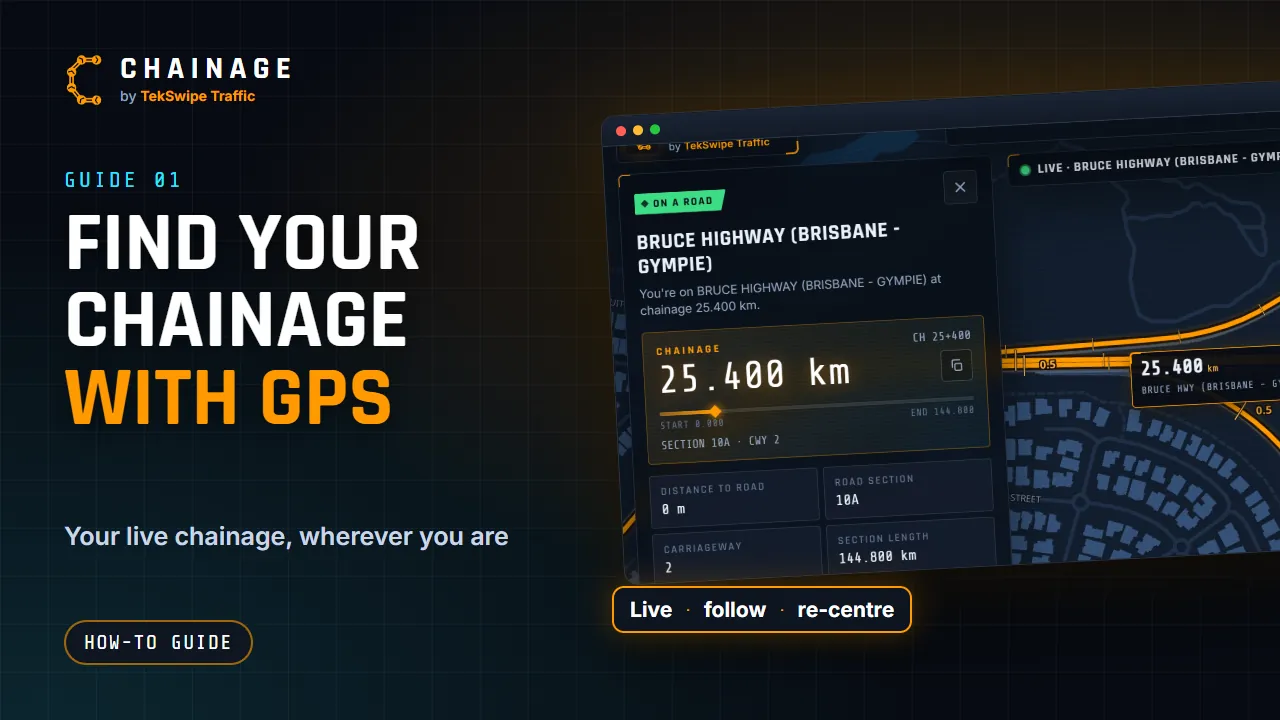
Tap one button and Chainage shows the chainage where you are, then keeps it updated as you move. It's ideal for a passenger recording chainages during a drive-through inspection.
Start live tracking
- Tap Find my chainage at the bottom of the map.
- The first time, your browser asks to use your location. Allow it. If you said no, see Turn on location access.
- The button shows Acquiring GPS… while your phone gets a fix.
- The map zooms in to you and the chainage card opens. The button now shows your live chainage, for example 25.306 km. Away from a road it shows the distance to the nearest road, or No road nearby.
The chainage updates each time you've moved about 6 m, or every 8 seconds or so.
Follow mode
While tracking, the map follows you. If you drag the map, following pauses and the button changes to Re-centre map. Tap it to centre the map on you again and bring back the live card.
The LIVE pill at the top of the screen shows the road and chainage while you're tracking.
What the status means
| Status | Meaning |
|---|---|
| On a road | You're within 30 m of a state-controlled road (plus your GPS accuracy, when that's better than 100 m). |
| Near a road | The nearest road is within 500 m. |
| Too far | The nearest road is more than 500 m away. |
| No road nearby | No road was found. |
The card also shows GPS accuracy, for example ±5 m. GPS is best under open sky. In cuttings, under trees or between tall buildings it gets less accurate. See How accurate is Chainage?
Stop live tracking
Tap the LIVE pill at the top of the screen. You'll see “Live tracking stopped.” Closing the card on its own doesn't stop tracking.
While tracking, a camera button sits next to the chainage so you can take a chainage-stamped photo. To find out what each part of the card means, see Read the chainage card.
Live tracking is for passengers. Never use Chainage while you're driving. Pull over somewhere safe, or have a passenger use it.