
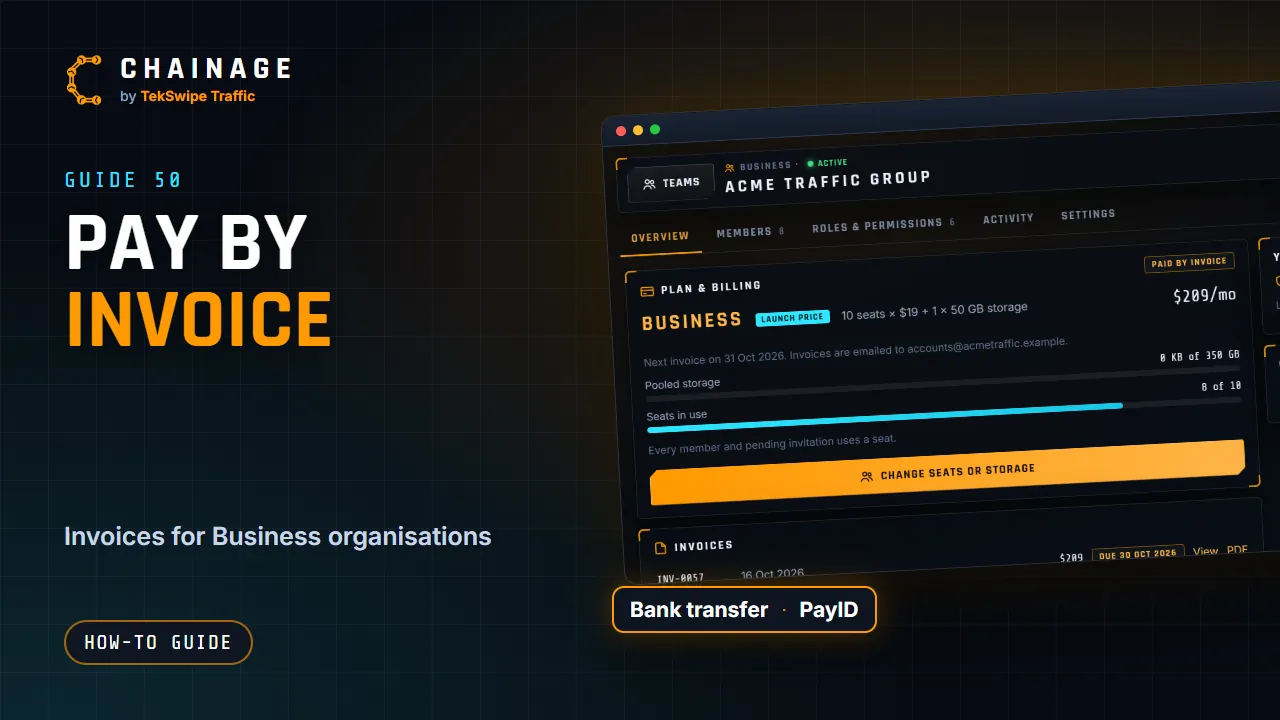
Any Business organisation (company, council or government) can pay by invoice instead of by card.
Ask to pay by invoice
Email support@tekswipe.com.au with your organisation's name in Chainage and the email address invoices should go to. Once it's set up, the company's Overview tab shows Paid by invoice, the date of the next invoice and where invoices are emailed.
Receiving and paying invoices
- Each invoice is emailed with a PDF attached and a link to view it online.
- Pay by bank transfer or PayID, using the details on the invoice and the invoice number as your payment reference.
- We send a reminder if an invoice becomes overdue.
- If you'd rather switch to card, we can send a secure card payment link that your accounts team can use without a Chainage account.
Your invoices in Chainage
People who can view billing see an Invoices list on the company's Overview tab. Each invoice shows its number, date, amount and status (Paid, Void, Overdue or Due with the date), with View and PDF.
Seat and storage changes
When you add seats or storage, an invoice for the rest of the billing period is emailed straight away, unless a credit on your account covers it. Seats or storage you remove stay yours until the period ends, and the next invoice is for the new amount (or for what's in use then, if that's more). See Change your company's seats or storage and Create a company.